Activity Viewer
v2.0.0+ only
The Activity Viewer and semantic activity audit log were introduced in v2.0.0. If you are still on v1.x, see Migration guide before upgrading.
Overview
Any action performed in the UI or webdav will get recorded such as downloads, uploads, share changes, logins, and similar actions.
By default, there can be a short delay (up to 10 seconds) before a new event appears in the Activity Viewer — events sit in an in-memory buffer until the next flush. This activity data history is stored for 30 days by default.
Opening the Activity Viewer
There are several ways to open the tool:
- Tools menu — Open Tools from the sidebar and choose Activity Viewer (
/tools/activityViewer). - Settings shortcuts — Admins see an activity button on:
- Settings → Users — user create/update/delete events
- Settings → Shares — share lifecycle and share downloads
- Settings → API Tokens — token create/delete events
- Settings → Access — access rule changes for the selected source
- Context shortcuts — While browsing or editing:
- File info — activity for the current file or folder
- Storage quota editor (v2.1.0+) — folder quota create, update, and remove events for the current path
- Share editor — activity for a specific share or path
- Access editor — access changes for the current path
Shortcuts open the viewer with filters pre-filled (scope, source, path, share hash, or event types).
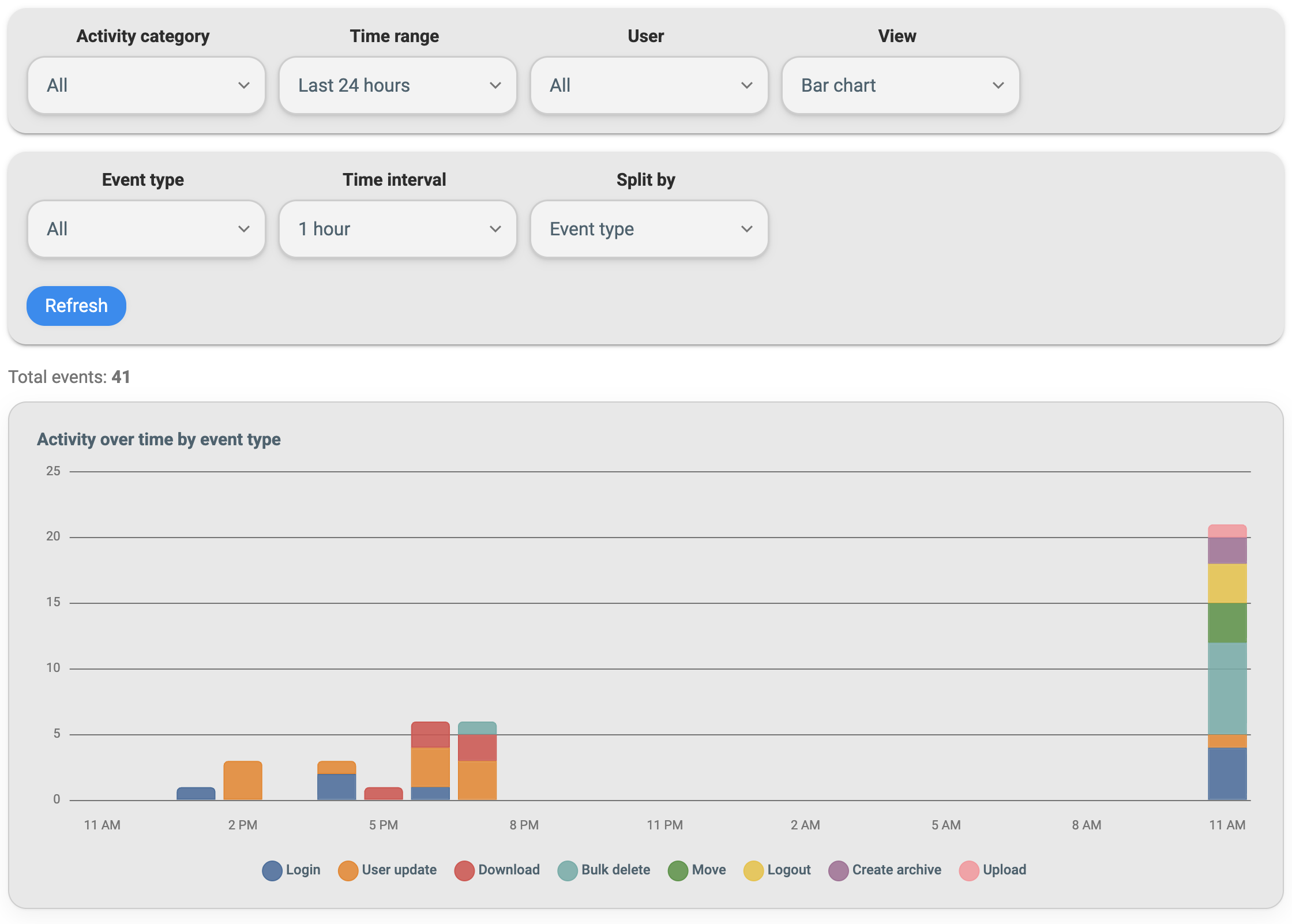
Who can see what
| Capability | Admin | Non-admin |
|---|---|---|
| View all users’ activity | Yes | No — only their own rows |
| Filter by username | Yes | No |
Path glob filter (pathGlob) | Yes | No |
| Share filter on others’ shares | Yes | Only shares they own |
| Full paths in results | Yes | Paths trimmed to their per-source scope |
CSV details column (JSON) | Yes | No |
Non-admin users always query with their own user ID enforced on the server. Admins can filter by any username, including the anonymous user.
Activity scopes
Scopes limit which event types appear. Use them in the viewer or in API query parameters.
| Scope | Includes |
|---|---|
| all | Every event type (default) |
| files | Download, move, copy, rename, upload, delete, bulk delete, archive, unarchive |
| access | Access create, update, delete |
| quotas | Folder quota create, update, delete (v2.1.0+) |
| shares | Share create, update, delete, and download events tied to a share (via shareHash in details) |
View types
The Activity Viewer supports five layouts:
- Table — Paginated list with optional columns (source, path, share hash, token name, IP address). Click a row for full event details.
- Bar chart — Counts over time, split by event type, user, or total.
- Line chart — Same time-series data as the bar chart in line form.
- Pie chart — Distribution of counts for the selected range and filters.
- Summary — Aggregated totals without a time axis.
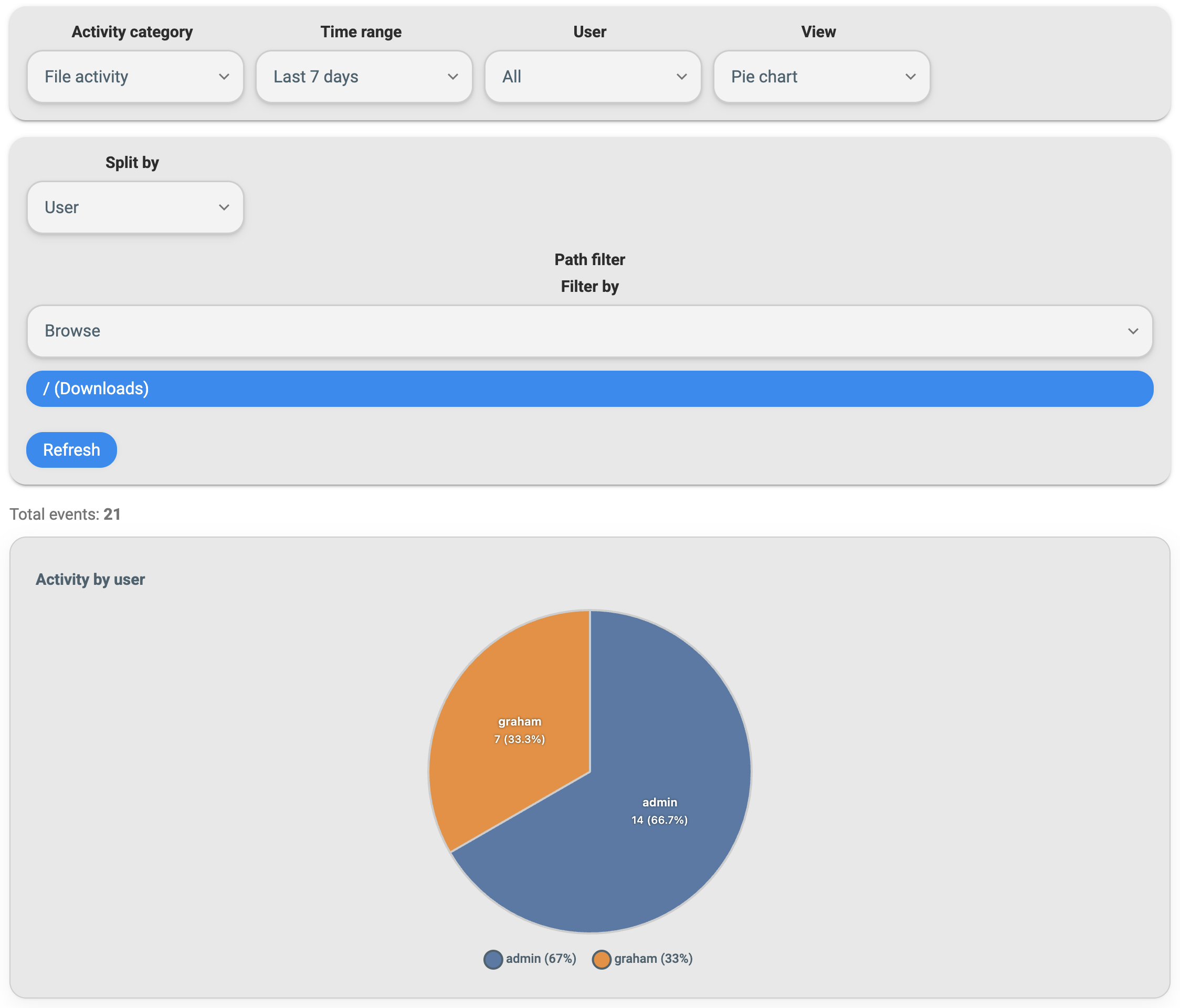
Chart views support time buckets of minute (up to 48 hours), hour, or day (ranges up to 90 days). Split-by options include event type, user (admins only), or total.
What gets logged
Activity covers file operations from the Web UI, administration, authentication, and tool usage. Web UI file changes (move, copy, rename, upload, delete, archive) are fully recorded.
File and path operations
| Event type | Triggered by |
|---|---|
| download | Web UI or API download (/api/resources/download), including share and token-based downloads |
| upload | New file or folder upload (Web UI or WebDAV MKCOL) |
| move, copy, rename | Resource PATCH actions (Web UI) |
| delete, bulkDelete | Single or multi-item deletion (Web UI or WebDAV delete) |
| archive, unarchive | Archive tool actions |
Web UI operations on files and folders — including multi-select delete, drag-and-drop move/copy, and archive/unarchive — produce the corresponding activity rows with source, path, and field-level details where applicable.
Shares, access, and quotas (v2.1.0+)
| Event type | Triggered by |
|---|---|
| shareCreate, shareUpdate, shareDelete | Share lifecycle (field-level changes on update) |
| accessCreate, accessUpdate, accessDelete | Per-path access rules |
| quotaCreate, quotaUpdate, quotaDelete | Folder storage quota create, update, and remove (v2.1.0+; admin API and Storage quota dialog) |
Share downloads appear as download events with details.shareHash set. The share’s download counter and per-user limits are updated separately in share state (not duplicate audit rows).
Folder quota events (v2.1.0+) include source, path, and field-level details (limitBytes, meter, optional userId binding).
Users, tokens, and auth
| Event type | Triggered by |
|---|---|
| userCreate, userUpdate, userDelete | User administration (scope and permission changes appear in details) |
| tokenCreate, tokenDelete | API token lifecycle |
| login, logout, signup | Authentication events |
| passkeyRegister, passkeyDelete | Passkey changes |
Tools
| Event type | Triggered by |
|---|---|
| duplicateFinder | Duplicate finder tool runs |
WebDAV
WebDAV write operations are logged when performed by an authenticated user:
| WebDAV operation | Activity event |
|---|---|
Create directory (MKCOL) | upload |
Delete (DELETE) | delete |
| Rename / move | move |
WebDAV reads (file GET) and directory listings are not logged as activity today. Use Web UI or API downloads for audited download history.
Each row stores the actor username, event type, timestamp, client IP, auth method (web session vs API key), and structured details (paths, share hash, field diffs, and so on). Admins see the richest detail in the UI and in CSV export.
What is not logged
These actions do not create activity rows:
- Any action that does not go through filebrowser. This includes manually copying, moving, or editing files outside of filebrowser user actions.
- Inline viewing via
viewToken(GET /api/resources/view,GET /api/media/stream, and related share/public endpoints) — previewing in the UI does not count as a download and is not audited as activity. See View vs download. - WebDAV file reads — opening or copying file bytes over WebDAV does not create
downloadevents (WebDAV writes are logged; see above). - Disabled logging — When
server.database.activity.disabledistrue, new events are not recorded (existing rows remain until retention purge).
Ordinary downloads through the Web UI or /api/resources/download (including forced download and folder archives) are logged as download events.
Configuration
Activity settings live under server.database.activity in config.yaml. Admins can tune buffering, retention, or turn logging off entirely if audit history is not needed for your deployment.
| |
| Setting | Default | Purpose |
|---|---|---|
disabled | false | Set to true to disable activity logging entirely. No new events are recorded; existing rows remain until retention purge. Use this if you do not want audit history stored. |
retentionDays | 30 | Rows older than this many days are deleted automatically on startup and during periodic purges. Increase for longer history; decrease to limit database growth. |
flushIntervalSeconds | 10 | How often buffered events are written to SQLite. Until a flush runs, new events may not appear in the Activity Viewer or API — there can be up to this many seconds of delay after an action. Lower for near-real-time visibility; raise to reduce write frequency. |
maxBufferSize | 10000 | When the in-memory buffer reaches this size, a flush runs immediately regardless of the interval. |
Activity is buffered, not written synchronously on every request. After a download or admin change, wait up to flushIntervalSeconds (default 10 seconds) before expecting the row in the viewer, unless the buffer hits maxBufferSize first.
See also Server database settings and About v2.0.0 for the SQLite migration context.
CSV export
In table view, Export CSV downloads activity for the current filters.
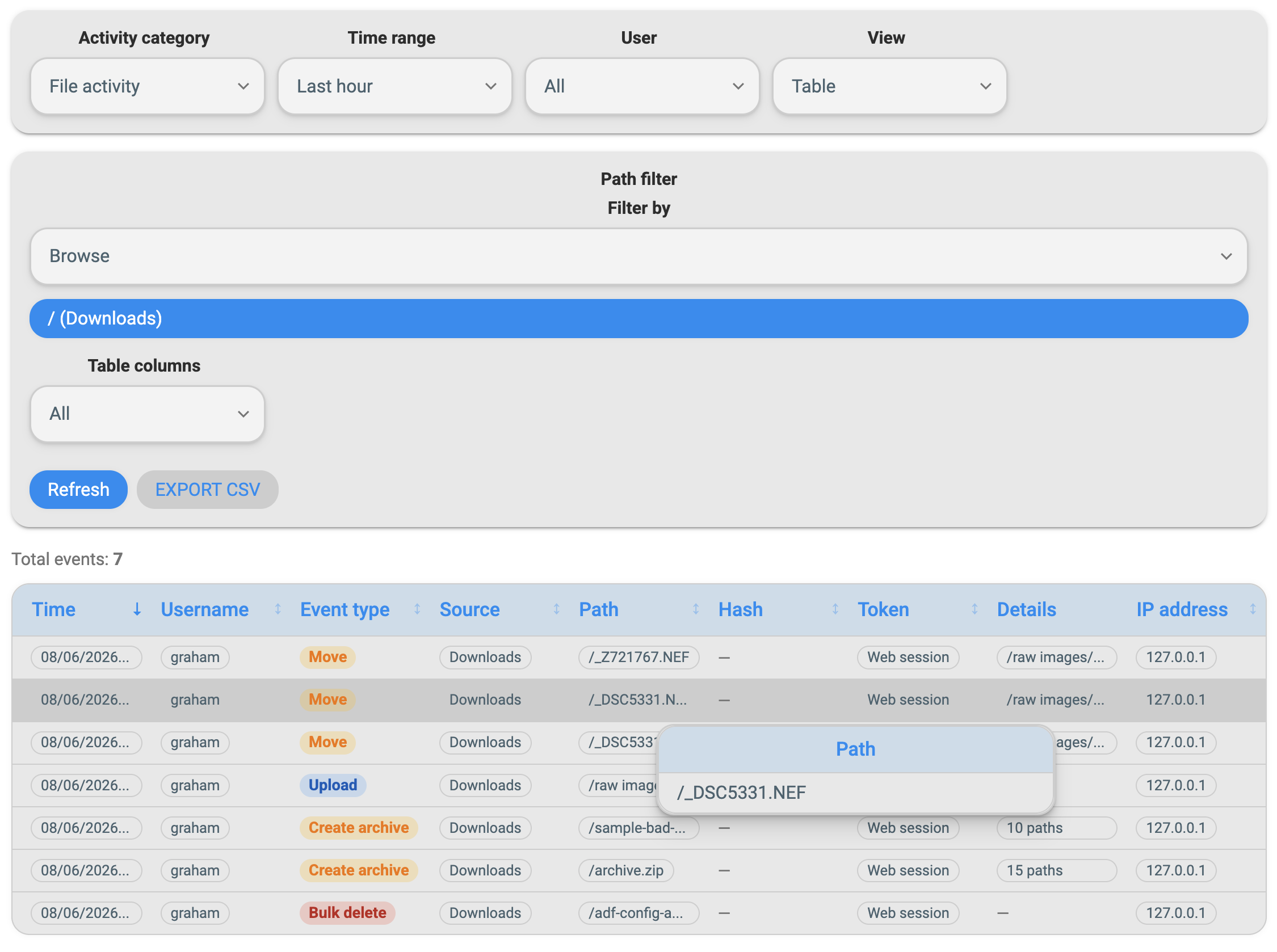
Exports:
- Paginate through the result set in chunks (up to 100,000 rows total; larger exports are truncated with a
TRUNCATEDmarker row). - Include optional columns you enabled in the table: source, path, shareHash, tokenName.
- Include a details JSON column for admins only (full structured payload).
Base columns are always: id, createdAt, username, eventType, and ipAddress.
API
Authenticated users can query activity through the REST API (same filters as the UI):
| Endpoint | Purpose |
|---|---|
GET /api/tools/activity | Paginated event list (page, limit up to 500) |
GET /api/tools/activity/grouped | Chart buckets (interval, splitBy, groupBy) |
GET /api/tools/activity/export | CSV stream (rows for optional columns) |
Query parameters include from, to, scope, eventType, source, path, pathGlob (admin), shareHash, and username (admin). Non-admins cannot override the user filter.
See API reference for authentication and general API usage.
Related topics
- v2 migration guide — SQLite upgrade required for activity
- User permissions — view vs download; what counts as a logged download
- User management — per-source permissions and scopes shown in activity paths
- Storage quotas (v2.1.0+) — folder quota changes appear in the quotas activity scope
- WebDAV — WebDAV write operations appear in activity
- Sidebar tool links — pin the Activity Viewer in the sidebar